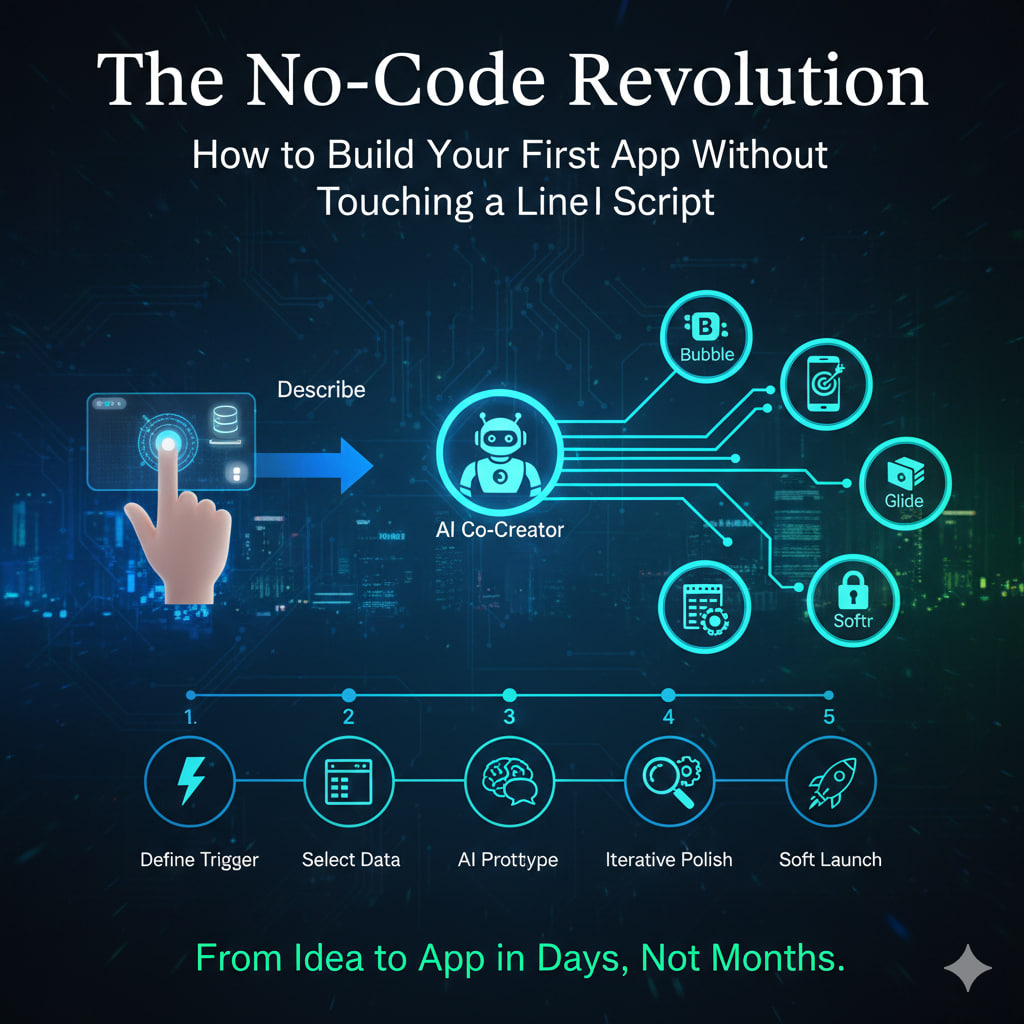
The No-Code Revolution: How to Build Your First App Without Touching a Line of Script
For decades, the “Syntax Barrier” was the greatest filter in the business world. If you didn’t know Python, Java, or C++, your digital ideas remained trapped on napkins and slide decks.
In 2026, that barrier has effectively collapsed. We are witnessing the Great Democratization of Software, where “Citizen Developers”—accountants, entrepreneurs, and marketers—are building complex, enterprise-grade applications using visual interfaces and AI co-creators.
The 2026 Shift: From “Drag-and-Drop” to “Describe-and-Deploy”
The previous generation of no-code was about moving boxes on a screen. Today, the revolution is Agentic. Platforms now feature “Autonomous Agents” that can interpret plain-English instructions to generate your database schema, user interface, and backend logic automatically.
- Development Time: Traditional coding that took 6 months is now being completed in 6 days.
- Cost Efficiency: No-code AI tools have slashed development costs by up to 90% for startups and small businesses.
Choosing Your “No-Code Stack” (2026 Power Rankings)
Your choice of platform depends entirely on your output. In 2026, the market has specialized into distinct “neighborhoods”:
| Platform | Best For | Standout 2026 Feature |
| Bubble | Full-Stack Web Apps | AI “Scaffold” tool that builds entire SaaS frameworks from a single prompt. |
| FlutterFlow | Native Mobile Apps | Visual builder for iOS/Android with one-click publishing to App Stores. |
| Glide | Internal Tools | Turns a simple Google Sheet or Airtable into a functional app in under 5 minutes. |
| Softr | Client Portals | The fastest way to build secure, gated communities and member directories. |
| Replit Agent | The “Vibe Coding” King | An AI agent that writes, tests, and deploys the code for you based on a conversation. |
The 5-Step Blueprint to Your First App
Don’t “boil the ocean” on your first try. Follow this proven 2026 workflow:
1. Define the “Core Trigger”
What is the one problem your app solves? If it’s a “Retail Inventory App,” the trigger is a user scanning a barcode. Map this logic on paper first: If [Action] → Then [Result].
2. Select Your Data Source
Your app is just a “skin” on top of data. For beginners, Airtable or Google Sheets are the most intuitive. Advanced users are moving toward Supabase or Xano for 2026-level scalability.
3. Prototype with AI “Discuss Mode”
Use tools like Thunkable or Softr’s AI Generator. Tell the AI: “I need a mobile app for a dog-walking service that allows users to book slots and pay via Stripe.” Let the AI generate the first version.
4. Iterative Polishing
Don’t aim for “Pixel Perfect” on day one. Focus on the Workflow. Use “Debug Voice” (literally talking to the AI assistant) to fix logic errors: “The ‘Submit’ button isn’t saving the data to my Sheet. Why?”
5. The “Soft” Launch
In 2026, you don’t need a massive server. Most no-code tools offer one-click global CDN deployment. Share your app link with 5 trusted users and watch their “Behavioral Telemetry” to see where they get stuck.
The Hybrid Reality: Low-Code is the New High-Level
Note: The “No-Code Revolution” doesn’t mean coding is dead. It means coding has become a Superpower used for the last 5% of customization. In 2026, the most successful builders are “Hybrid Developers” who use no-code for speed and “Low-Code” (small snippets of script) for unique features.
Leave a Reply